How to step up your GitHub game with "Saved Replies"

Cloud Native Pilgrim | Kubernetes Enthusiast | Serverless Believer | Customer Experience Architect @ Pulumi | (he/him) | CK{A,AD} |
Introduction
In my personal opinion, reviewing Pull Requests (short: PRs) are one of the enjoyable and valuable things we can do in a project. Not only do we learn different ways to solve a problem, but we medium to transfer our knowledge to coworkers or contributors. PRs are the Forum Romanum of today and for me, the comments have often more valuable informations than sites like Stack Overflow.
So how does GitHub cames into play?
GitHub Saved Replies
I recently discovered a feature in GitHub called Saved Replies. Saved Replies helps us to create comment templates to insert into every markdown text box on GitHub (e.g: PRs, PR review comments, Issues, etc.)
To create, edit or delete Saved Replies templates, just follow the steps below:
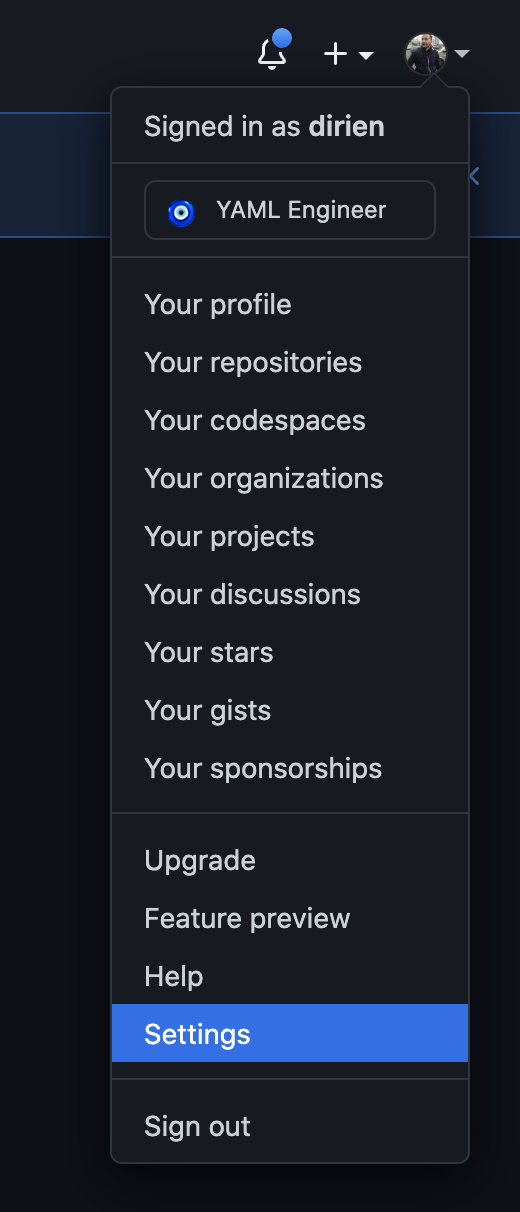
Click on your profile picture and then click on Settings
Then click on Saved replies on the left menu bar.
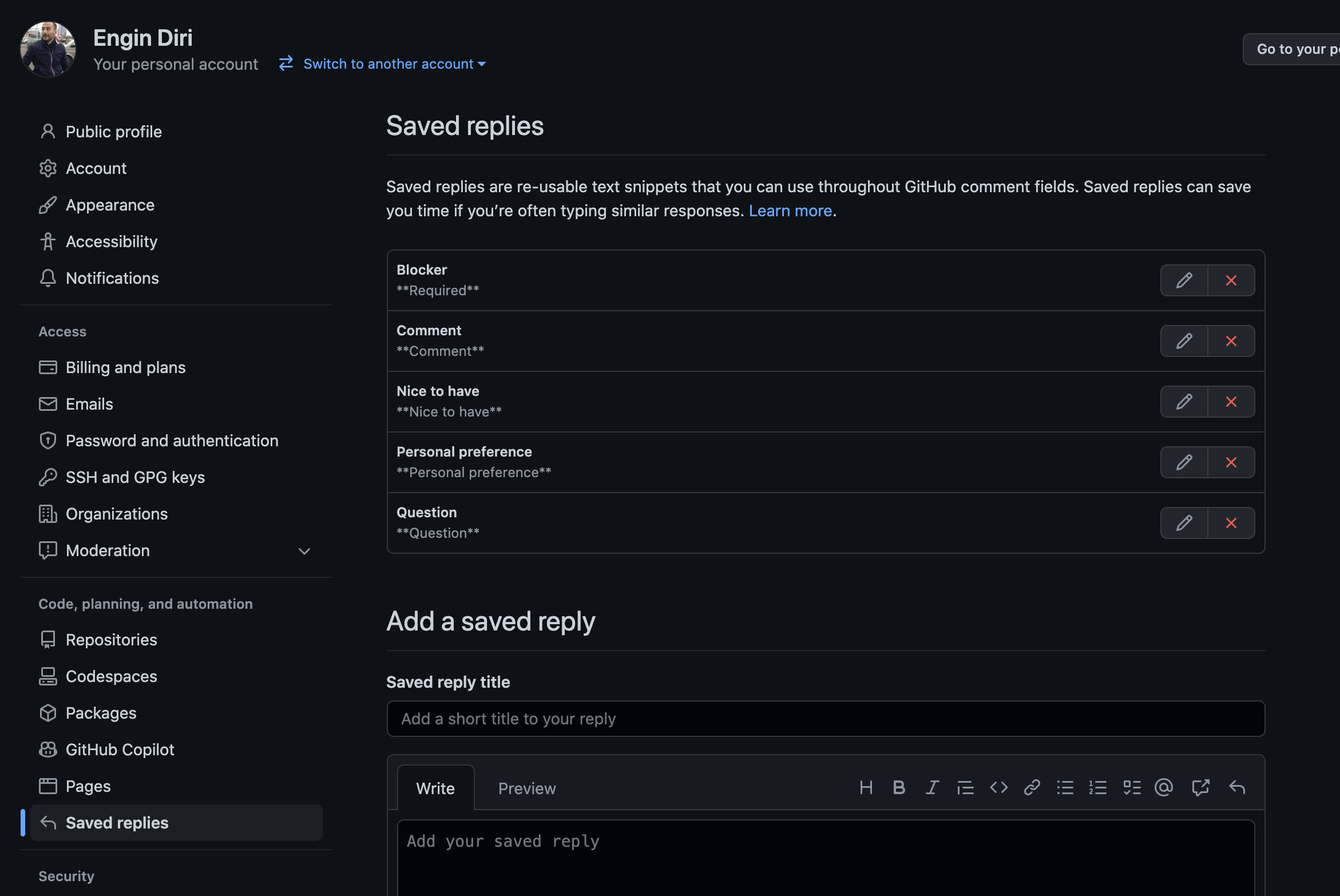
Now we can add or delete Saved replies:
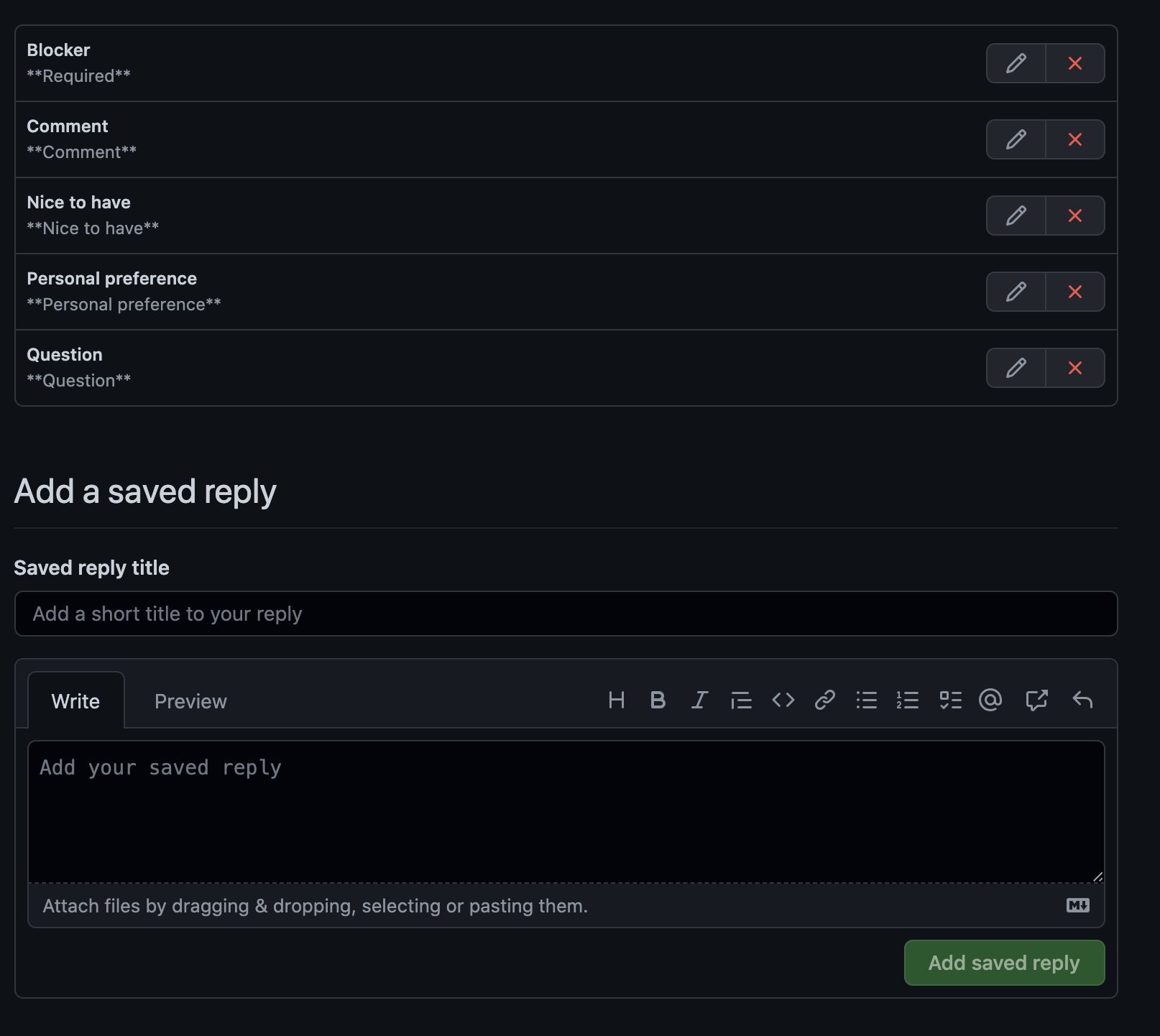
To use the templates, click on the icon in every comment dialog:
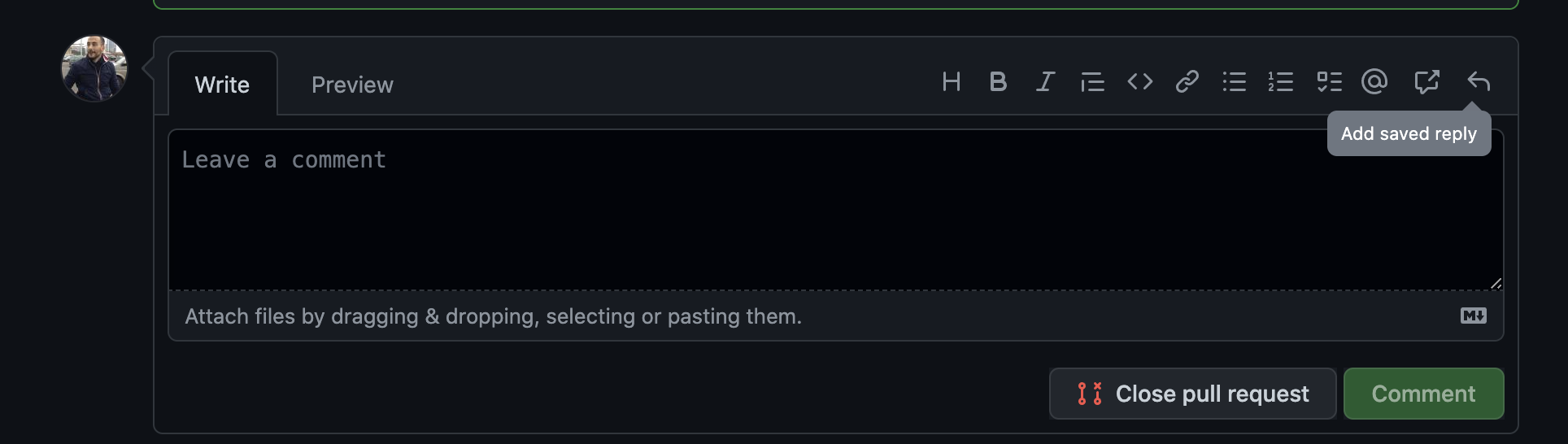
And select the template:
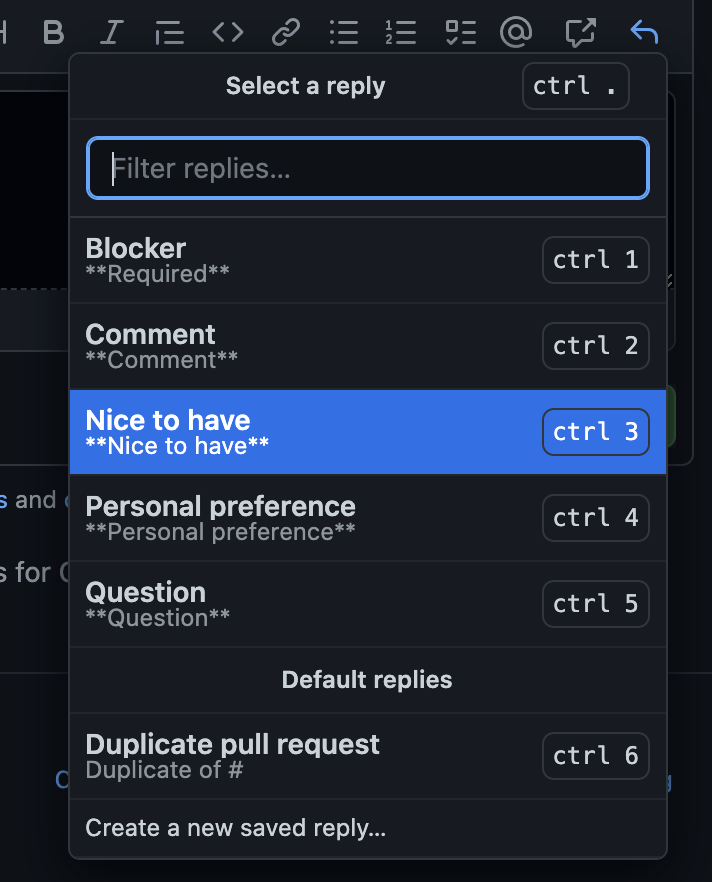
And the content get transfered to the dialog:
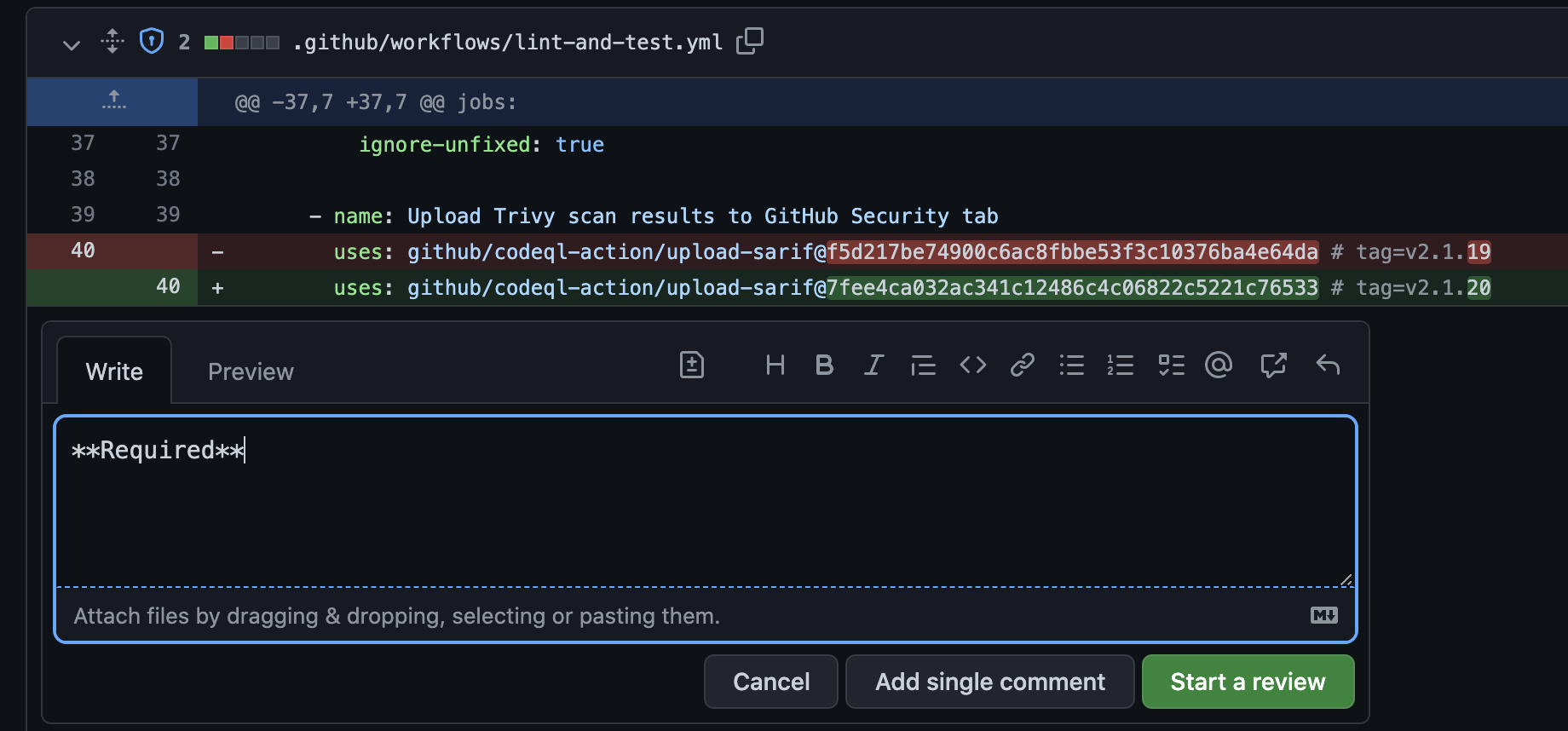
Example use case in a team
A good way to use Saved Replies in a development team is, to agree on a set of comment types.
Possible comment types would be:
- Comment to indicate that it needs to be fixed, this will trigger an action by the PR author.
- Comment to indicate that it would be nice to fix, but is not essential to do so! This may trigger an action by the PR author.
- Comment to ask for clarification or resolve a confusion. This should trigger a reply by the PR author.
- Comment that will be just a comment but not trigger any action from the PR author.
It helps to have a detailed definition of the comment types stored in an easy to access Wiki, in case we need to look up the definition.
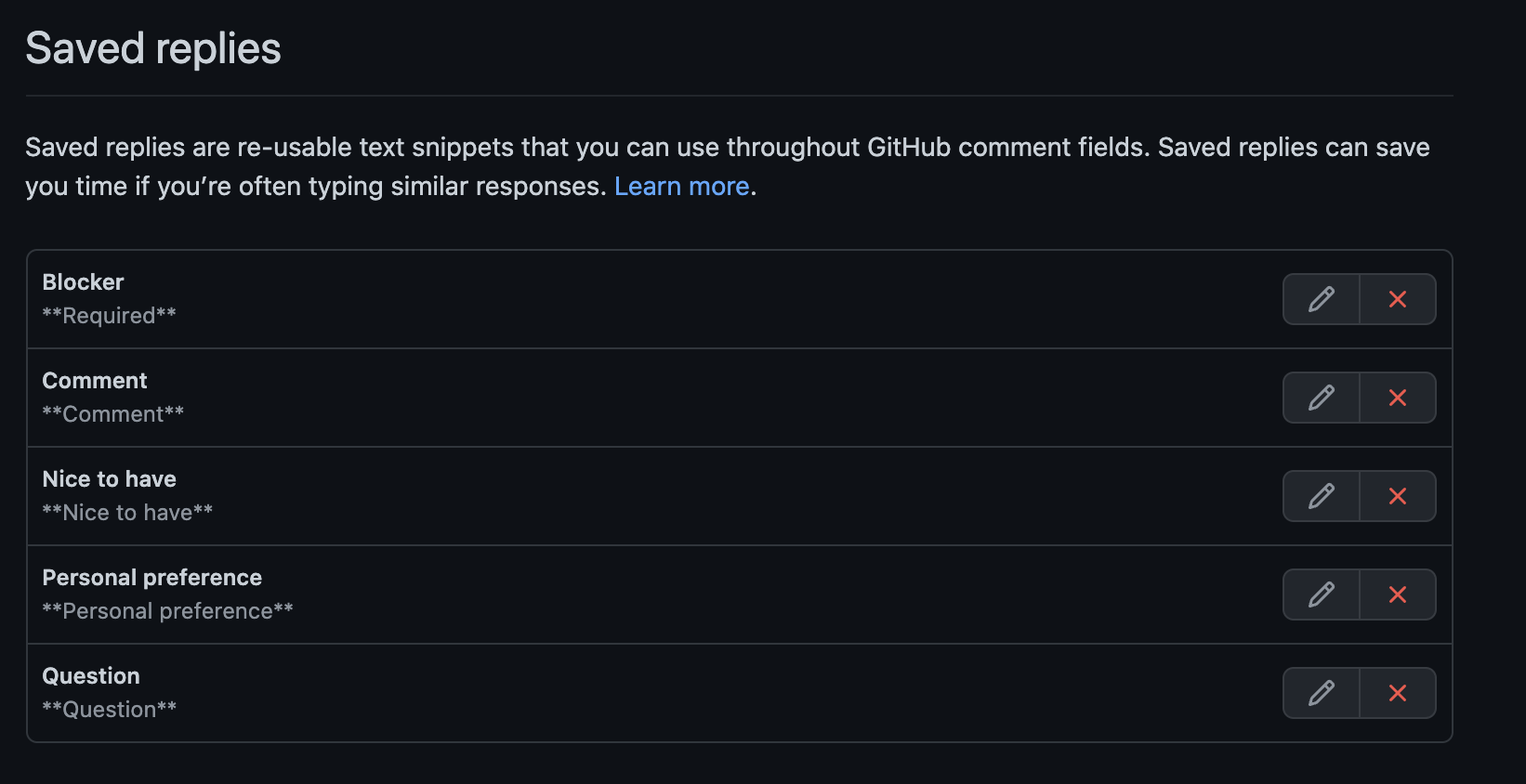
Everybody should add the templates into their Saved Replies in their GitHub accounts.
Now you have build a standardized feedback process for all of our PRs in the team.
Standardized Feedback
Having this predefined comment types helps us to produce consistent feedback leading to a better outcome and at the end to a better product!
But Why?
With Saved Replies templates we need to ask ourself, what type of feedback we want to leave on the issue. As everyone in the team knows the expected outcome of the specified type there should be no confusion if the comment is expected an action. All is defined in our upfront agreed defintion of the comment types.
Additional this will help take out the emotions out of a code review. Because to be honest, it can be difficult to receive critical feedback for our work, we may spend hours or even days to solve it. Having a shared and agreed standard for how to conduct PRs and the expectations will help to actually perform valuable PRs fuzzy feedback and emotionally loaded reactions.
Wrap-up: Embrace PRs with "Saved Replies"
Having a standard set of "Saved Replies" helps us to embrace PRs and see it for what it is: A hands-on way to lean and grow.
It becomes a more enjoyable doing as you create for both, the reviewer and the reviewee, a stress-free experience.